
Lokal · modular localization tool
Localize end to end, in one traceable flow.
Lokal orchestrates the production of localized content from source to delivery: QA, AI-assisted translation, post-editing, final validation, language assets, and regenerated files in one web application.
The starting point
The localization cycle should not depend on a patchwork of files and tools.
Lokal brings the scattered parts of production into one operating space, so teams can see what is happening, control quality, and learn from validated work.
Fragmented processes
Offline exchanges make ownership, status, and delivery hard to trace.
Tools in silos
Translation, review, resources, and reporting live in disconnected places.
Quality without a system
Source and target checks depend too heavily on individual habits.
Costs that are hard to read
Work, QA time, AI usage, and budgets are difficult to consolidate.
The operating layer
One application for the whole localization cycle.
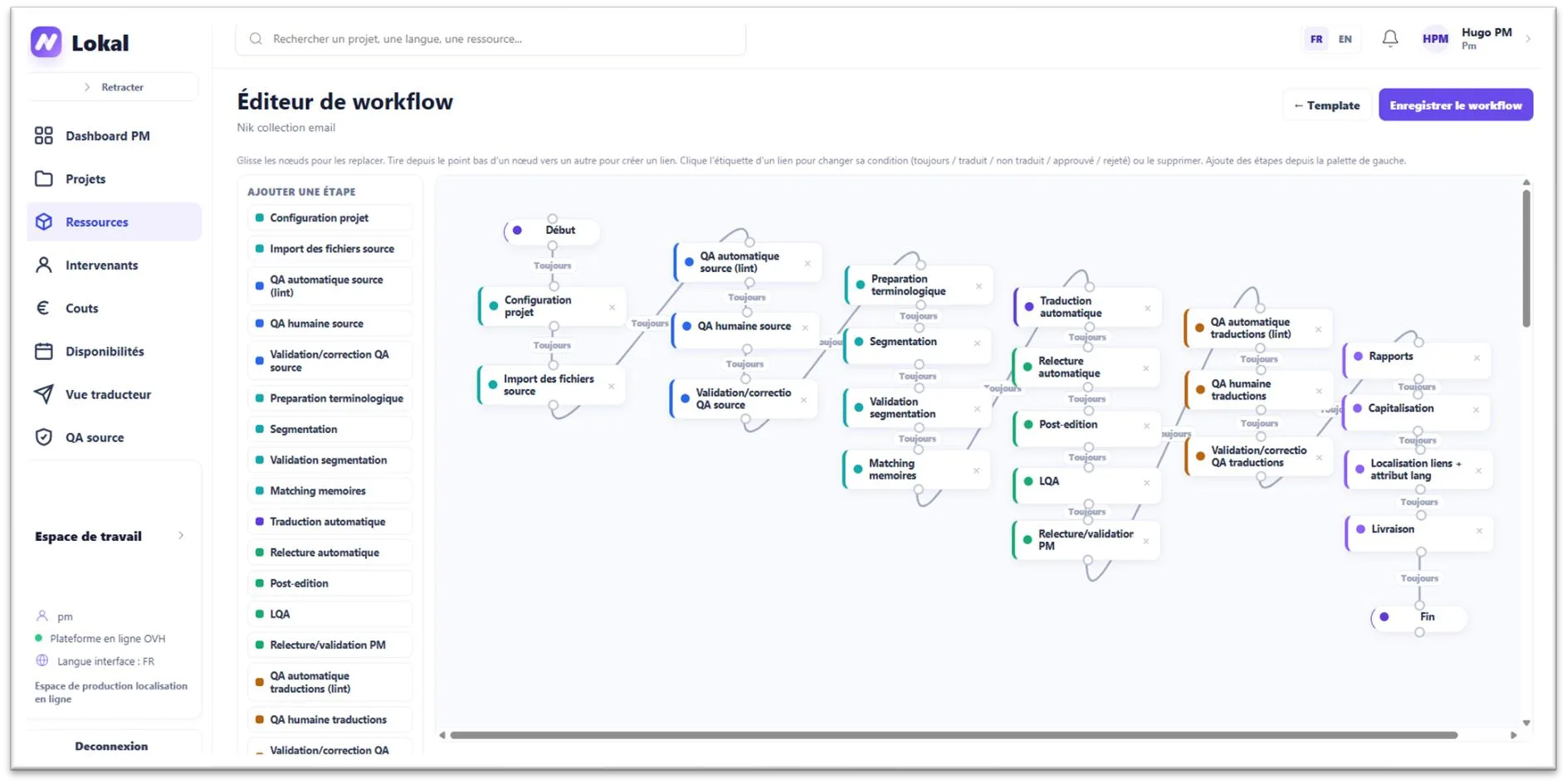
The workflow stays modular: each project can activate the steps it needs, assign the right roles, and keep its decisions visible from the first import to the final package.
Centralized
One online flow, with projects, files, tasks, roles, resources, and status in the same place.
AI-assisted
Multiple passes, several engines, automatic review, and a confidence signal to guide human attention.
Quality controlled
Source linting, human QA, protected variables, LQA, translation linting, and final validation.
Continuously reusable
Validated work enriches memories, glossaries, forbidden terms, style guides, and editable prompts.
How it works
A workflow that adapts to each project.
From project creation to delivery, Lokal keeps the sequence readable while allowing non-essential stages to be switched on or off by project and template.
Create the project
2 stepsImport sources, choose target languages, assign roles, and generate the plan.
QA the source
3 stepsRun source linting, human review, and corrections before translation.
Translate
9 stepsPrepare terminology, segment, translate, review, post-edit, and run LQA.
QA translations
3 stepsCheck integrity, variables, layout, linguistic quality, and final approval.
Capitalize
2 stepsTurn validated decisions into reusable language assets and reporting.
Deliver
2 stepsRegenerate final files, localize links when needed, package, and close.
What makes it useful
The details that make a production flow dependable.
The product is designed around the moments where multilingual production usually loses time, quality, or context.
FORMATS
Files that remain usable
HTML, Excel/CSV, Word, and translated images can move through the same project logic, with final files regenerated for delivery.
AI
A multi-pass, provider-agnostic layer
OpenAI and Anthropic can be selected by project or API key. Multiple proposals, fusion, review, and confidence scoring keep the AI steerable.
POST-EDITING
A workbench for human decisions
Source and target stay visible together, variables remain protected, memory suggestions appear inline, and validated segments can auto-propagate.
IMAGES
Visual content included
OCR detects text in visuals so images can be translated and regenerated as part of a localized delivery.
PILOTING
Costs and productivity in view
Translation, QA, AI usage, budgets, rates, and productivity gains can be followed by project and exported.
INTEGRATION
An API-ready foundation
REST API v1 exposes projects, tasks, files, segments, resources, costs, and notifications for automation.
A product built for the real work
The interface keeps the workflow visible without hiding the craft behind it.
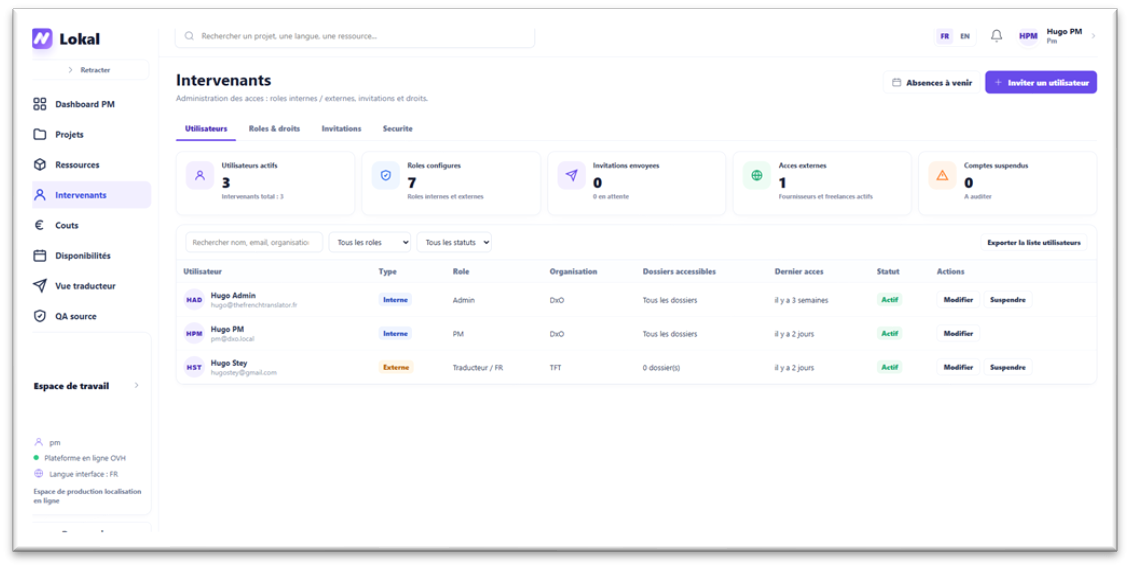
Project managers, translators, reviewers, and external contributors work from the same source of truth, with roles, notifications, availability, and access kept explicit.
Next step
A localization workflow worth making visible.
Let’s look at your formats, languages, and current production flow to see where Lokal can remove friction.